Ryan Hellyer Talks About WordPress Plugin Development, WordPress Community And How Goals Help In Coding Projects

http://www.cloudways.com/blog/ryan-hellyer-interview/
By Mustaasam Saleem
====

Ryan Hellyer is a very well known WordPress obsessed Kiwi and a former scientist, who used to live in Canada, then Norway and now Berlin. He has been contributing to WordPress communities for a long time. He is a prolific plugin developer, a mentor who shares his knowledge openly in the form of code snippets and tutorials. In this interview with Cloudways, he talks about WordPress and his personal life. He also shares his experience about AWS Nightmare.
ryan-hellyer-interview

Cloudways: Hello Ryan, tell our readers a bit about yourself. When did you first discover WordPress? There are many CMS in market. What were the main reasons of pursuing a career as a WordPress developer?

Ryan: I discovered WordPress around version 2.3. I originally had a career as a chemist, but as soon as I realised I could make a living from WordPress, I jumped ship from my original career path and hopped onto the WordPress bandwagon. The ability to work from anywhere felt very liberating and was something I always dreamed of doing.

Cloudways: You’ve developed many plugins for WordPress. Can you please highlight your most used plugins?

Ryan: My most used plugins are some of my worst. Instead, I’ll highlight my favourite plugins ?

My Unique Headers plugin is a handy way to implement a custom header for each page/post. It came about because a client wanted this functionality, but did not have sufficient budget, so I simply made it in my spare time and gave it to them as a gift.

My Spam Destroyer plugin is designed as a dead simple way to kill spam dead in it’s tracks; you can simply activate it on your site, and the spam should simply stop. No configuration is required and users won’t notice anything different about your site.

My Disable Emoji’s plugin was one which became unexpectedly popular. There were a lot of grumpy developers complaining after extra code bloat was added to WordPress, to accommodate emoji’s in older browsers. This forced a bunch of unwanted JavaScript onto every WordPress site, and so my plugin was a very simple fix to get rid of that extra bloat. Hat tip to Otto, who provided an improved version of the main function, which I accommodated into the plugin.

Cloudways: I have checked out your blogs about WordPress, is writing your hobby or you do it as part of your job?

Ryan: Writing is purely a hobby for me. My personal blog is mostly just a log of my life, and my geek blog is where I jot down any code snippets or information that I might like to use in future. I try to write as many blog posts as possible, but time always gets in the way.

Cloudways: We’ve read your story about AWS Nightmare and we felt sorry for you. But, what was the lesson you learned and what would you advice to be safe from such incidents?

Ryan: I don’t really have much advice relating to that. I made two mistakes which led to that issue arising. I didn’t realise there was an old temporary file sitting in my root directory, and I used the root keys for AWS. So don’t use the root keys for AWS and watch out for temporary files which may contain unintended configuration data and you should be fine.

Cloudways: Ryan, you’re an active member of WordPress Community. Keeping yourself focused on different things can become tough at times. Suggest us with some of your lifehacks that keep you focused on work?

Ryan: Having goals helps. I always try to set goals for my coding projects, even if they aren’t very lofty. My goal for 2015 was actually to reduce the amount of code I was maintaining, as I’d mounted up too many personal projects over the years.

Cloudways: Ryan, you’ve attended many WordCamps. Please tell our readers how these WordCamps are beneficial for WordPress Community?

Ryan: WordCamp’s are a great way to meet other members of the community in person, and to create real-life relationships with people you may otherwise only know in the virtual world.

Cloudways: WordPress 4.5 has been released. What are the features you liked the most?

Ryan:
wp_add_inline_script()
looks like a great way to add inline JS to projects; adding inline JS in WordPress previously was not very elegant.

The upgrades to
wp_upload_dir() are great. I love seeing any changes which involve improving an existing feature, rather than adding more bloat to the core of WordPress.

I shudder whenever I read through the feature list for new versions of WordPress. I wish less junk would be added, but it seems that most people want more features, not less. I miss the simplicity of earlier versions of WordPress.

Cloudways: WordPress was lesser known for its speed and security. Do you think with the latest release of WordPress 4.5 it has been reduced?

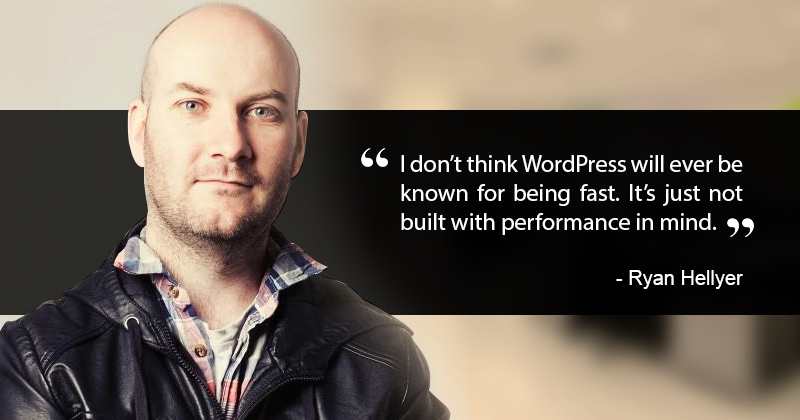
Ryan: Not really. I don’t think WordPress will ever be known for being fast. It’s just not built with performance in mind. Security wise it will probably never have a good reputation either, as it has an enormous amount of legacy code piled into it, and it has a rather odd structure which makes things messy. Legacy and messy code tend to lead to security flaws. Having said that, WordPress does have a rather good track record security wise, despite what the knockers may say.

Cloudways: With the release of Calypso and shift to Node.js of WordPress.com, do you think it will be welcomed by the larger WordPress.org Community?

Ryan: No. I don’t think Calypso itself has much direct bearing on the broader community. I think the significance of Calypso is that it demonstrates that it is now (almost) totally viable to replace the entire WordPress admin panel with a custom system, whereas before that would have been prohibitively complex to implement.

Cloudways: Who do you consider your best buddies within the WordPress community ?

Ryan: Ronald Huereca who I shared an apartment with for a year, and Kaspars Dambis who I somehow convinced to move to Norway to work alongside me.

Cloudways: We know, it’s hard to take out time from a busy schedule, but everyone takes a few hours out for themselves. What do you do in your free time ?

Ryan: I do a lot of hiking and cycling. I actually ended up involved in WordPress due to playing ice hockey, as my local hockey club needed a website built, and so I sat down and figured out how to do it. After a few iterations, I eventually found WordPress, and the rest is history. I also help run a Facebook group called Free Advice Berlin; we have over 20,000 members and are growing rapidly, so keeping on top of admin tasks for the group takes a bit of my time each day. Aside from that, I recently started learning German, and I’ll be assigning more of my free time to that in the coming months.

Cloudways: You’re a WordPress Developer. You know how important a hosting is when it comes to host a WordPress site. How will you compare traditional hostings with Managed WordPress Cloud hosting like Cloudways that has advanced server side cache technologies like NGINX, Varnish, Memcached and Redis that will ultimately boost page load performance?

Ryan: By traditional, I assume you mean a stereotypical cPanel type setup with a very crude setup. Those services are usually cheap, but severely lacking in performance. I actually run my own VPS, so I get all of the technical benefits of a managed service already, but what I am missing is the technical support. So I see three main options, cheap slow services with technical support, cheap super fast VPS’s with minimal technical support, or expensive but fast managed services which also come with significant technical support. Which of those options suits you, will depend on what you are looking for. Some people can make do with simply using a cheap shared host and shoving Cloudflare in front of it, some will be happy managing their own server like me, and others will want the benefits of their own server, without the hassles of running it. I think all three of those options are acceptable, depending on the individual’s requirements.

Just to humor our readers, can you please send us an image how does your desk or workspace look like? ?

Desk? I usually work from a cafe, in which case my desk is often my lap. This photo is of me co-working at a little cafe called Herman Schulz in Berlin, Germany.

image00-6-768x512

Persistent object caching

The following has not been published anywhere yet.

== POTENTIAL HEADER GRAPHIC ===

========== MUGSHOT ============

=========== SHORT BIO =========
This post was contributed by Ryan Hellyer. He is from New Zealand, lives in Germany, and works as a full-time WordPress geek. He spends his time building WordPress plugins and getting up to mischief in his adopted home of Berlin.
=====================

I have an issue with WordPress caching plugins. It’s not that I don’t like using them, or that they’re junk (most are, but that’s a separate issue). No, the problem is that most people don’t have the foggiest idea how WordPress handles caching internally, and what causes their site to run faster.

Static page caching

Most caching plugins do what is called static page caching. They cache a complete page, including all of it’s HTML. This is terrific, as it means that WordPress doesn’t need to regenerate the page every time someone visits it, but it means that those pages will be out of date sometimes when content is updated. And anyone who has used these plugins, can usually attest to cursing at their site due to to the cache not updating when required.

Object caching

For a very long time, WordPress has had a caching system baked into it. Most WordPress developers I’ve met have no idea this exists. Some have used transients, which are a part of the WordPress caching API, but in my experience, very few developers properly understand how they work. By default, WordPress includes an internal caching system. If you use <?php get_option( ‘something’ ); ?> somewhere in your site, then run that same code later on in that page, then WordPress will only need to load the data from the database once, as it caches it for use later on in the page load. It does this via the wp_cache_add(), wp_cache_set() and wp_cache_get() functions. Transients behave in a similar way, but by default can store the data for use in subsequent page views by storing them in the database. Storing information in the database is resource intensive though, so transients must be used sparingly to avoid hammering the database too hard and actually causing the site to slow down rather than speed up.

What we need, is the ability to store information in a persistent way (for use on more than the current page load) and which can be written to and from extremely rapidly (unlike caching in the database) …

Persistent object caching

Although the object caching system in WordPress was designed to only work on a single page load by default, the smart folks on the WordPress core team ensured that it was trivial to plug in to this and provide a way to store data however you want, and for as long as you want. Awesome!

A normal WordPress plugin cannot be used to provide persistent object caching in WordPress. You need to manually create a drop-in file called object-cache.php, which sits in the wp-content folder. Some of the larger (bloated?) plugins, will automatically generate this drop-in file in your wp-content folder.
Once installed, the object caching drop-in will cache anything utilising the WordPress caching API, this includes transients which will automatically stop using the default database layer, and instead make use of whatever object caching back-end is available.

Some of the earlier implementations of object-cache.php files for WordPress, simply stored the data in the database, or in flat static files. But there are a multitude of better back-ends/places to store small pieces of data like this and there are many different object caching drop-ins available for WordPress to hook into these various systems.

In memory data stores – ninja fast data storage

MySQL is fast, but nothing compares to just throwing some data into RAM for maximum performance. With this in mind, many people who are much smarter than I, have developed systems for allowing us to store random bits of data in the servers RAM. The most popular of these is Memcached, but there are others including APC and Redis which are very popular. Since they store their data in RAM (when possible) and are designed to be fast rather than reliable, they are insanely fast at both data storage and retrieval.

With a database or flat file caching back-end, you can not refresh your cache rapidly, or store tiny bits of data. With an in memory data store, those problems do not exist. For this reason, use of an in memory data storage back-end can provide an enormous performance advantage to sites using them in conjunction with the WordPress object caching API.

To make use of one of these, simply ensure that Redis, Memcached or APC are installed on your server, then install one of their corresponding drop-in files (you have to get the correct one or all hell will break loose).

Once you have one of a appropriate object caching drop-in installed, you should notice an immediate increase in performance. WordPress caches a lot of data internally and none of that will need to be queried on every page load. It is entirely normal to see a stock WordPress installation go from 20+ MySQL queries per page down to 4 queries, as the object caching back-end takes care of storing all of the data which does not change between page loads. The WordPress API always attempts to refresh the cache when required; there are some instances in which this does not work perfectly, but it is usually a flawless cache refreshing process.

Faster static page caching

There are ways to serve and refresh static page caching plugins via the WordPress object caching system too, including via the Batcache plugin provided by the kind folks at Automattic. This is beyond the scope of this blog post, but is worth investigating if you also require static page caching.

Conclusion

Caching within WordPress is complex. Object caching is a vital tool for your toolbox, as it can provide a huge performance improvement without requiring you to resort to full page caching.

Ryan Hellyer’s AWS Nightmare: Leaked Access Keys Result in a $6,000 Bill Overnight

Post by Sarah Gooding on WP Tavern … http://wptavern.com/ryan-hellyers-aws-nightmare-leaked-access-keys-result-in-a-6000-bill-overnight

WordPress developer Ryan Hellyer had always wanted to open source his website. As a strong supporter of open source software and an avid plugin developer, he enjoys sharing his code and learning from others. This desire led him to put his site up on GitHub one evening, not knowing that he would wake to find himself in a security nightmare due to a simple oversight.

Open sourcing a website is not such an uncommon practice, as it brings with it a number of benefits. Hellyer shared his story with the Tavern and identified the main reasons wanted to make his site’s code public on GitHub:

  1. It allows people to see what plugins and themes I use
  2. It makes it super easy to get help with my website, since people can see the code
  3. It encourages me to use best practices across my entire website, not just the bits I post for download (custom plugins, themes etc.)
  4. It is a handy way to sync the files between locations

“I was aware that keeping my wp-config.php file off of GitHub was critical,” Hellyer said.

“Leaving that open for download would also make my database credentials, security salts etc. known to attackers. To mitigate this, I simply moved it one folder down (it still works even when it’s not in the root of your site). As a double protection, I also used the .gitignore file to forcibly prevent Git from pushing it to the repository.”

Satisfied that his website was totally backed up and thinking that he had taken all the necessary security precautions, Hellyer pushed all the contents of his site (with the exception of the uploads directory) to a new GitHub repository. Pleased with his efforts, he dozed off to sleep.

An Urgent Message Arrives from Amazon

Not four hours later, Hellyer received an urgent message from Amazon, though he didn’t have the chance to read it until later in the morning.

“I awoke fresh the next morning, began work for the day, then decided to check my personal email account and saw the email I had received overnight,” he said. “The email was marked URGENT.”

Hellyer initially thought it was spam but went with his instinct and opened it anyway, as it appeared to be fairly legitimate. Amazon emailed to notify him that his account may have been compromised.

“I immediately went to check my AWS billing page, but thankfully it was only at US$17 for the month so far, which was about my normal usage,” he said, noting that he uses AWS (Amazon Web Services) for backing up to Amazon S3 and for providing a CDN service to his website (via Amazon Cloudfront).

The email specifically asked him to check his EC2 instances, which Hellyer found to be odd, since he doesn’t even use Amazon EC2.

“I checked anyway, and surprisingly, here were 80+ servers running. I thought ‘OHHH CRAP!’

“So I shut them all down. Problem solved I thought, and since my bill was still looking normal I figured it wasn’t a problem.”

Ten minutes later Hellyer discovers another 80+ servers running at a different location on EC2. Digging deeper, he found five more locations, all with 80+ servers running. After fully auditing his account, he found more sections of “reserved instances” with even more servers running.

“In total, there seemed to be around 600 servers running. The time between realizing all this and uploading my Git repository was approximately 12 hours.”

Digging Out of a Hole

photo credit: Code & Martini by Ivana Vasilj - cc license
photo credit: Code & Martini by Ivana Vasilj – cc license

Hellyer went into damage control mode, scrambling to find the source of the problem.

“My immediate thought was ‘YOU IDIOT! You didn’t remove the wp-config.php file which contains AWS access keys!’ he said. “But I went to check the repository, and it was not there. It turned out though, that there was another file called ‘wp-config.php.save,’ which DID contain my AWS access keys.”

That file also contained his database password and security salts, but so far he hasn’t found any indication that the site was compromised by those. Hellyer immediately changed the password and swapped out the config keys.

“But those horrid little AWS access keys were sitting on the repository in view of everyone. I immediately deleted the entire repository from GitHub.”

Unfortunately, it took him two hours to delete all of the Amazon EC2 instances created by the exploited keys. “The evil little blighters had cranked up the security protection and actually made it very awkward to shut them all down,” he explained. “I wasn’t able to just terminate them and in fact had to go through one by one and manually turn off termination protection, then stop them, then terminate them. Then I had to go through and delete many volumes which had been setup (I think this is the EC2 equivalent of a drive).”

Hellyer is Slapped with a $6,000 Bill for Unauthorized Usage

AWS bills don’t update in real time, and Hellyer’s bill still read $17 USD. After contacting support to find out the damage, he saw his bill jump from $17 to $3,087.97. AWS was helpful throughout the process and give him a list of tasks to complete, including deleting some hidden EC2 instances which had not previously been visible in the console.

“After doing all of this, I went to take a snapshot of the billing statement to show everyone my lovely US$3,087.97 bill, only to find it had shot up to US$5994.08 in the meantime,” he said.

aws-bill

Amazon followed up with the following note:

We’ve submitted a concession request for the unauthorized usage charges you incurred for the current month. The concession request requires approval from levels of management therefore the process can take up to 7 – 10 working days to complete.

He’s hoping that the leaked keys will not result in him having to cough up $6K for unauthorized use, but he hasn’t yet received confirmation that he won’t be held responsible.

Why were his AWS Credentials in his wp-config file?

If you’ve been following along with this nightmare situation, you may be wondering why Hellyer was storing his AWS credentials in wp-config.php. This was required for the Photocopy plugin he released a few years ago. There are many other plugins that utilize this same method. Although the plugin didn’t seem to have any security flaws, he decided to remove it from the site and discontinue development due to the unpleasant experience of having his keys leaked. “The only other option is store it in the database, but I think that’s actually worse as you would run into exactly the same problem if your database were leaked,” Hellyer said.

Keep Your Keys Safe and Private

This cautionary tale should serve as a reminder to keep your keys safe and private. Hellyer unknowingly sabotaged himself when trying to open source the code for his site and learned an expensive lesson:

“Not only should you be extremely careful with your usernames, passwords, plugin and theme security etc., but you need to be even more careful about credentials for services which cost money,” he advised.

“I’d rather see my blog(s) hacked than to have this happen again. Hacked sites can be easily fixed. Deleted data can be restored. A $6000 bill however is something else entirely,” Hellyer said. He also noted that if the exploit had just been a few extra dollars here and there, it could have quietly leached his account indefinitely without him noticing. As it was, if Amazon hadn’t issued him an urgent notice, he probably wouldn’t have noticed until he received a $100,000 bill at the end of the month.

The lesson here is that if you can avoid having to store AWS credentials in wp-config.php, by all means, find another way. What started out as a well-meaning effort to open source his site, quickly became a horrible nightmare that has yet to reach a conclusion. There are people out there ready and willing to exploit stolen or leaked AWS keys, and they clearly have a sophisticated way of scouring the web to find them.

Hellyer sums it up: “Long story short … don’t do stupid stuff with publicly accessible code. Also, don’t store your AWS credentials unless you absolutely have to.”

Comments backup

Brajesh Singh
4 days ago Permalink
Feeling sorry about Ryan.
Hope that he gets the concession and is not required to pay this extra.

I am sure, It is harsh way to discover the problem but will help everyone around to take such things more seriously.

Reply
Scott Bolinger
4 days ago Permalink
That sucks, but it’s an important lesson. Along with keeping them hidden, you should use IAM credentials that have specific access policies instead of your root credentials. You can specifically state what they have access to, for example you can restrict access to read only, or to a specific service like S3. At least the damage can be contained, in this instance spinning up servers on EC2 would not have been possible.

IAM info: http://docs.aws.amazon.com/IAM/latest/UserGuide/PoliciesOverview.html

Reply
Peter Knight (@peterrknight)
4 days ago Permalink
Thank you for sharing that. I haven’t logged in for such a long time I wasn’t aware of that feature. I just wish they had bill capping, because even without credentials being compromised you can still end up with a surprise bill with a surge in traffic.

Reply
Matt
4 days ago Permalink
You can use billing alerts to receive notifications when your bill exceeds a certain amount, for example: http://docs.aws.amazon.com/gettingstarted/latest/awsgsg-intro/gsg-aws-billing-alert.html

Reply
Peter Knight (@peterrknight)
4 days ago Permalink
Thanks:)

Reply
Ryan Hellyer
4 days ago Permalink
Thanks. I had no idea that was possible. I’d been looking through the Amazon documentation yesterday and couldn’t find any way to do that. I guess I need to do some more looking then.

Reply
Kalen Johnson (@Kalenjohnson)
8 hours ago Permalink
I’m glad that Amazon decided to wipe the bill for you! Definitely good news.

This is also a reason I try to start any project with Git. It takes a little extra time to set up, but when keeping with best practices, you wouldn’t commit any private passwords to the repository. And when everything is version controlled, you also don’t have the need to copy and rename files, like wp-config.php.save

Definitely not trying to point this out directly to you Ryan, as it’s a really common mistake that can happen to anyone. It’s another solid reminder to always use version control though 🙂

Reply
Ryan Hellyer
4 hours ago Permalink
I agree, although I didn’t actually know what version control was when I initially made my website.

I think the .save file may have been automatically generated by a text editor (not sure which one, but something I used a long time ago).

Reply
Troy Glancy
4 days ago Permalink
AWS should setup keys for each service. Example if you only want a CDN you get X key, and if you want EC2 you get X2 key. That way if someone gets your key lets say from a plugin they will only have access to that part of AWS.

Reply
Matt
4 days ago Permalink
You can do this via IAM and access policies: http://aws.amazon.com/code/AWS-Policy-Examples

Reply
Troy Glancy
4 days ago Permalink
Just saw Scotts comment above. Apparently you can setup for each service.

Reply
Chris Wallace
4 days ago Permalink
I’ve actually spun up RDS instances as a test, thinking that it wouldn’t bill me unless they were actually being used. Then I got a bill for around $3,000. No warnings, no notifications. Shut that down real quick.

Reply
tudoutou
3 days ago Permalink
Remind me an access key created for wp-ses plugin.
I don’t know why the plugin need access key, it should only need SMTP credentials.
Anyway I immediately deleted the key after reading this.

Reply
Michael
3 days ago Permalink
Never use root access keys in your website, that’s a bad idea. If a plugin requires too much permission, I simply don’t use it. Only use IAM credentials with minimal permissions, that’s what the policies are for.

Very expensive mistake,Too bad with AWS you only get billing alerts but no complete shutdown when reaching a quota.

Reply
iamyuda
2 days ago Permalink
Since this all thing started as a good will gesture for the open-source community – I am sure many will be willing – me included – to support a donation campaign to help you close the bill, assuming Amazon will not do the appropriate move themselves.

Reply
Ryan Hellyer
2 days ago Permalink
Amazon wiped US$5,980.70 off my bill this evening 🙂 So the problem is solved.

Thanks Amazon 🙂

Reply
Sarah Gooding
2 days ago Permalink
Very good news! Thank you for sharing your experience with us.

Reply
Dragan Nikolic
2 days ago Permalink
Great news, Ryan. It’s bad that these things happen to noble men. Good thing Amazon recognized you as such.

Thank you for sharing.

Reply
mikeschinkel
1 day ago Permalink
Awesome news. It’s good to learn that Amazon is customer focused in AWS and doesn’t choose to profit from fraud. I long time ago (~1998 I think) I was running a company where someone hacked our phone system and ran up about $6000 in long distance charges. In that case, Verizon could care less and we had to pay it.

Reply
Alfonso
1 day ago Permalink
Great to hear this. When I read those kind of stories I freak out about my AWS account.

Reply
Marco Ragogna
1 day ago Permalink
This is a scary story. I never used AWS but isn’t possible setup a credit limit to avoid this problems?

Reply
Ryan Hellyer
1 day ago Permalink
No. AWS does not offer that service unfortunately. This makes me want to change to another service, but I’m not sure what other service I would use. AWS has some really good tools, in particular S3cmd for the CLI.

Does anyone have any solutions for alternatives to using Amazon S3?

I also use Cloudfront at the moment, but there are lots of CDN alternatives out there, and I’m about to switch (for entirely unrelated reasons) to hosting all my own files anyway.

Reply
Alfonso
1 day ago Permalink
Ryan: Maybe you may need to look for a honest webhosting provider and place in front of it a CDN (choose whatever you may want/desire). My own choosing is to get Cloudflare in front of my host (PRO account). Never regret from choosing them.

Regarding S3 I use it just for storing the backups of several sites that I host on my machine. Every site is tar/bzipped2 before sending it to S3 via cron job daily. After being 7 days on RRS storage, they went to Glacier for up to 90 days where they expire. Easy peasy to do IAM credentials are safe on the system, not on WP nor nothing exposed to a web server.

Reply
Ryan Hellyer
23 hours ago Permalink
I am not interested in serving my content via a CDN. I want to serve it from my own server.

I have a similar setup for handling backups to S3. The plugin which required me to add my AWS credentials to wp-config.php was for instantaneous backups, not for occasional backups.

10 Free Ultra Minimalist WordPress Themes

http://wptavern.com/10-free-ultra-minimalist-wordpress-themes
By Sarah Gooding


If you love to blog but don’t want a theme with clunky sliders and overloaded widget areas cluttering up your site, then chances are you’re on the hunt for the perfect minimalist WordPress theme. Finding a theme that provides a beautiful reading experience with an unobtrusive, high quality design is no simple task. You’ll end up wading through hundreds of themes.

That’s why I’ve collected a few of the best minimalist WordPress themes from around the web. All of the themes featured here make liberal use of white space and display very little, if any, post meta.

Remember that any of these themes can be even further stripped down to better reflect your spartan sensibilities. Create a child theme to preserve your ability to get updates, and then proceed to cut out post meta or anything that you feel is distracting to the reader.

Tonal

tonal

Tonal is a content-focused theme from Automattic that sports a minimal design with large featured images. The theme supports post formats and can display images and videos at full width. The menu and widgets are hidden from sight in a pull-down panel.

One particularly unique aspect of Tonal is its background adaptation feature. Select any solid background color and the theme will automatically modify your typography and other elements to preserve readability with the new background color.

Demo | Download

Casper

casper

Casper is a free Ghost-style theme based on Underscores. It is essentially a port of Ghost’s default theme with WordPress-specific features added into the customizer for uploading your own logo, customizing the background and header images, text and social links.

Demo | Download

Lingonberry

lingonberry

Lingonberry is a beautifully-designed minimalist theme by Anders Noren. Check out our recent interview with him on achieving simplicity in WordPress theme design. The Lingonberry theme offers support for post formats. The hidden top menu pulls down navigation and a search bar.

Demo | Download

TinyPress

tinypress

TinyPress is a mobile-friendly WordPress theme with bold headlines and a focus on readability. It includes matching social sharing buttons, styles for galleries and quotes, and a hidden menu that pops open a full page widget area when clicked.

Demo | Download

Gravit

gravit

Gravit is a bright, clean WordPress theme with support for post formats and large featured images. The theme has many options built into the customizer, including color controls for the post format icons, site title, text and background. Gravit also includes a unique “About Me” page design and template.

Demo | Download

Readly

readly

Readly is a free theme from WP Shower that utilizes large fonts and supports post formats. It was designed for readability on all devices. The theme has several options built into the customizer, including the ability to change the theme color and add social links. You can also easily select between three pagination options: regular, load more, and infinite scroll.

Demo | Download

Aquarius

aquarius

Aquarius is a retina-ready responsive theme that supports all standard post formats. Sidebar widgets are hidden from view with a slideout panel. Navigation is fixed and available at the top of the page as you scroll.

Demo | Download

Padhang

padhang

Padhang is a Javanesse word that means “bright.” This theme features a large header image and a single centered column for content. The custom header, background and colors can be changed via the theme customizer.

Demo | Download

wp-svbtle

wp-svbtle

WP-Svbtle is a theme inspired by the svbtle.com design. The theme options let you upload a custom image for the header logo or select from one of the included icons. The unique thing about WP-Svbtle is that the admin area and the theme are independent of each other. The theme includes a directory that provides a new writing dashboard with a zen style interface for composing new content.

Demo | Download

Hellish Simplicity

hellish

Hellish Simplicity is a theme created by Ryan Hellyer. It’s a clean, responsive theme that looks great on mobile devices. You can easily update the header text via the customizer.

Demo | Download

Simple Comment Editing – A Review

http://wprealm.com/blog/simple-comment-editing-a-review/

There is a new plugin in town and it is simply awesome. Many of you will have used the popular AJAX Edit Comments plugin for WordPress. It was created by Ronald Huereca back in 2007 and was very popular; it was unique in giving commenters on WordPress sites the ability to edit their own comments to make corrections.

I have always loved the concept of the plugin and had huge respect for the developer. Building a plugin to handle comment editing in this way was well beyond my capabilities at the time. I could never bring myself to run it on my own sites, though: it included it’s own styling and added a lot of bloat to page loads which slowed things down. It looked out of place.

My respect for the plugin and it’s developer are actually part of the reason I ended up living in Norway. When I realised I needed a job, the first person I turned to was Ronald. He suggested I go work with him at Metronet in Norway, and a month later we were sharing a desk in the same office 🙂

Continue reading <span class="meta-nav">→</span>

Finding the perfect facebook-WordPress system

http://wpgarage.com/tips/finding-the-perfect-facebook-wordpress-system/

Welcome to our first guest post. The writer, Ryan Hellyer, is a PhD student studying supramolecular chemistry at the University of Otago in New Zealand (I don’t even know what that is, but it sounds like you need to be a bit smart to study that). In his spare time, he plays and organises ice hockey in his home town of Dunedin and develops websites including Dunedin Ice Hockey Association, ryan.hellyer.kiwi and Fresh Edge Hockey.

He gets to write here because:

  1. He is one of my favorite readers here on WordPressGarage (yes, that would be called favoritism).
  2. He plays and organizes ice hockey!! Any friend of hockey is a friend of mine.

And now, without further ado…Ryan gives us the results of his research into integrating WordPress with facebook.

————————————————————–

Hands up if you are one of those people who tirelessly adds their latest photos and stories to a collection of different social networking sites, or who manually add new links to your latest blog posts in a vain attempt to move traffic to your blog. Well there are much easier ways to do this automatically. Blog feeds are great things: not only can they be used directly by your site’s visitors, but you can also use them to post automatically to your facebook profile. The traditional way, which Miriam mentioned a while back, is to import the RSS feed via notes. However, this is not optimal, since the links from your facebook profile do not take the user directly to your blog, but to another Facebook page where your blog posts are displayed. So in theory your users never actually need to visit your blog, which is usually not what you want. Using facebook notes also only allows you to use one blog feed, whereas you may wish to display multiple feeds on your profile.

There is a solution! There are a range of applications for facebook which place your feed directly into your profile. Below are some that I tried and tested, and the results.

Feed Invasion 0/10 and Feed Reader 0/10

I couldn’t get either of these to work. Enough said!

Feed Invasion


Feed Reader

my RSS

my RSS 2/10

This is a very simple application with few options. It simply posts your feed title and the title of each blog post. It also has a My RSS title at the top buttons linking to the application – neither of which are likely to be particularly useful to your visitors. It does give the ability to add multiple blog feeds, however. The critical failing of this application is that when you click a blog post, it takes you to another page listing your blog posts and you have to re-find the post and click it again to reach the actual post!? Sheer madness and a good reason to steer well away from this application.

My RSS

SuperRSS

SuperRSS 3/10

Ugly is the word that comes to mind when thinking of SuperRSS. I’m not sure if it could display multiple feeds or not, the big buttons everywhere, strange placement of URLs and so forth was off-putting enough for me to get rid of it immediately.

Super RSS

Feed Friend RSS logo

Feed Friend RSS 4/10

This is a very basic application. It does offer the ability to add multiple feeds, shows date and time of each post but has no option to show an excerpt from each post.

Feed Friend RSS

Blog RSS Feed Reader 7/10

This application gives more options than the others, with a nice big title for your blog, a share button, the URL of your blog, your sub heading for your blog and an RSS subscribe button. However I couldn’t get it to work with multiple blogs which was annoying and it has a big advertisement for William.com below your blog posts. It does allow you to add images to spice up the look of the application which is a nice touch, and it publishes your blog posts to your news/mini-feed. This application certainly wins the prize for most options, although it is not the most elegant looking one.

Blog RSS Feed Reader

WordBook

WordBook 7/10

WordBook is different from all the others as it is actually a WordPress Plugin as well as a facebook application. I haven’t quite figured out why WordBook needs to also be a WordPress plugin, but it seems to work quite well and it displays your posts in a very nice manner with full excerpts of each blog post to lure your visitors in. It does update your news/mini-feed immediately whereas the other applications generally took a while if it all. The main problem however, is that it can not support more than one blog feed and this may make it unusable for some people (although the developer does intend to include multiple feeds in a future release). It also caches your posts, so if you post something by mistake (I posted this particular post in draft form accidentally) and delete it from your WordPress blog immediately, it will still be stuck on your facebook profile till you manually reset it.

WordBook

Simply RSS

Simply RSS 9/10

Simply RSS is the most elegant of all the applications I have tested. Uniquely, it can display your blog posts in the left hand or right hand side of your profile in a neat ordered list with posts sorted into dates and a title for each blog. This is by far my favorite option. It is simple, easy to use and doesn’t look like some tacky old facebook application. It can also display a description of what the feeds are about and why people should visit the links. The only problem it has is that it can’t display an excerpt of each post and it doesn’t support more than three different blog feeds.

Simply RSS

And last … but definitely not best!
RSS Scroller

RSS Scroller -1/10

The prize for strangest design goes to RSS scroller! As it’s title says, it scrolls your blog posts. Now this wouldn’t be too weird by itself, except you need to click a link to reach the scroller. The first time I tried using this application there was no option to click the blog posts as they passed by, the scroller just sat and stared at me! However I decided to give it another crack a few weeks later and it worked this time. It’s pretty annoying having to wait for the posts to scroll by though. Why someone would want to use this is beyond me. I found it incredibly frustrating and it’s negative rating reflects that. The designers ought to stick to the KISS method (Keep It Simple Stupid) rather than going for the retro 1999′esque route.

RSS Feed Scroller

when you click the button above, it leads you to something resembling this (except the real version scrolls) …

RSS Feed Scroller

Hopefully my little spiel on FaceBook/WordPress integration is of use to some of you. This technique is not possible on Bebo currently, but you may be able to use it with other social networking sites (I haven’t tried any others).

Copyright And The GPL

http://www.wptavern.com/copyright-and-the-gpl

Disclaimer: All of my current distributed software is GPL licensed and I have no intention of releasing or promoting non-GPL software for WordPress in the future. I know very little about copyright law and software licensing and have no idea if the opinions expressed below are correct or not. I am simply providing the transcript below as I thought those debating the issue may be interested in it.

Whilst reading through the debate in the ‘One Peeved Off Theme Maker‘ topic a friend of mine who also happens to be a specialist in copyright law and author of a GPL licensed WordPress theme sent me a message via MSN. I took the opportunity to grill him with a few questions on the matter of the GPL and it’s effect on the non-GPL premium theme market. After a colourful discussion (he likes to swear a lot), I realized the transcript may be of interest to others. So here for you all to squabble over is the (slightly edited) opinions of a specialist in copyright law. He doesn’t want his name attached to the transcript so I’ve renamed him as Beagle (since he is a legal beagle).

Beagle said:
hey dude

Ryan says:
long time no see

Beagle says:

http://www.techcrunch.com/2009/05/06/meatcards-print-your-business-cards-on-beef-jerky-with-a-frickin-laser-beam/?awesm=tcrn.ch_1Q7

Ryan says:
ROTFLMAO. Laser printed beef?

Beagle says:
I know, how awesome is that?

Ryan says:
How about laser printed fruit rollups?

Beagle says:
hmmm, not a bad idea!

Ryan says:
So you gonna buy any?

Beagle says:
nah, it’s just cool

Ryan says:
You would then be a meathead with a meatcard

Beagle says:
lol, thanks!

Ryan says:
Do you mind answering questions about a legal debate about use of the GPL in WordPress themes?

Beagle says:
indeed

Beagle says:
whats the template generator url again? i’ll download a theme to see what you’ve got in there now.

Ryan says:

https://geek.hellyer.kiwi/generator/

Ryan says:
but that’s not what I want to talk about. The template generator is GPL and I don’t have any intention of changing that.

Beagle says:
lol what the #*&#*are you building now then!

Ryan says:
Nothing, there’s just a big argument over what is and isn’t allowed and I’d like to get your opinion on it.

Ryan says:
I have no reason to release non-GPL stuff. I just find the subject facinating.

Beagle says:
do explain

Ryan says:
ok

Ryan says:
Many people claim that since WordPress the software is licensed under GPL2, that all software which uses WP functions is a derivative work of WP and therefore all WP themes which use those functions must be GPL licensed

Ryan says:
GPL2 seems to be some sort of infectious license, ie: you can’t use GPL2 code in something without the rest of the code being GPL2

Ryan says:
Now … lots of WordPress themes (particularly the good ones) are not licensed under GPL2

Ryan says:
The big question is … is this correct, and is it enforceable?

Ryan says:
Presumably you could write a theme so that it has a GPL section which allow a templating system to plug into it

Ryan says:
So the template could be used across the board with a variety of different platforms .. in theory

Ryan says:
But most of the themes in question are just using WP functions, ie: wp_list_pages to display pages; the_content to display a post etc. etc.

Ryan says:
There’s an argument here … http://www.wptavern.com/forum/themes-templates/446-one-peeved-off-theme-maker-8.html#post3603

Ryan says:
and a whole truckload more of them about the place

Ryan says:
it is quite a big problem in the WP community at the moment, particularly since WordPress.org now has a themes repository

Ryan says:
they’re even going to the extent of not only banning themes in the repository which don’t have a GPL (or compatible) license, but also themes which contain links to sites which link to other sites which host non-GPL WordPress themes or plugins

Beagle says:
So far as I can see, there is absolutely no way whaotsoever you could claim that a wordpress theme has to be GPL2 just because wordpress is (if that’s what the argument is about)

Beagle says:
legally speaking

Ryan says:
But the theme contains GPL2 code

Ryan says:
and the GPL2 license requires that it not be used in non GPL software

Beagle says:
so? that doesn’t matter in the slightest

Ryan says:
yeah, that’s what you said last time

Ryan says:
But what you say seems to be clashing with legal advice from elsewhere on the net

Beagle says:
if the GPL2 license requires that it not be used in non-GPL software, then you’re in breach of copyright

Beagle says:
because you’re breached the terms of the license

Beagle says:
that still doesn’t mean it’s GPL2

Ryan says:
I’m pretty sure I recall Matt Mullenweg saying (or someone said that he said) that he has consulted with copyright specialists on the matter who claim that WP themes need to be GPL2

Beagle says:
then he has some pet lawyers who are spinning @&$t for him

Beagle says:
it’s a fundamental principle of all copyright law that seperate copyright exists in a collation of copyrighted works

Ryan says:
He may have said that WP themes which are not GPL2 are in breach of copyright then

Beagle says:
well that’s a bit different

Beagle says:
but using php you would write new functions that would just call the could wordpress functions, and name them something different, right?

Ryan says:
yes you could, but your new functions would still contain the old functions, coz it would be done something like this:

Beagle says:
that’s ok

Beagle says:
in fact, now that I think about it you wouldn’t even have to do that

Beagle says:
oh, well, maybe

Beagle says:
if you look at the functions as a block…

Beagle says:
but then you’re only using pieces of it so….

Ryan says:
I figured you could have one piece of software which is GPL2 which grabs the theme code (which is non-GPL) and dynamically adds the WP functions into place

Beagle says:
hmm, no, I’m fairly certain that if it went to court wordpress.org would be $*$&%d

Ryan says:
So something like [ryanspage] could be grabbed on the fly and converted to wp_list_pages()

Beagle says:
exactly

Beagle says:
but here’s an even more important point that I just realised

Ryan says:
The two pieces of software could be entirely seperate

Ryan says:
the GPL2 bit would just grab that code and process it

Beagle says:
here’s the real kicker

Beagle says:
you write a theme, mmk?

Beagle says:
there are two seperate copyrights

Ryan says:
k

Beagle says:
one in the code

Beagle says:
one in the design

Beagle says:
even if the GPL2 license “forces you to release” the code as GPL2

Beagle says:
you still have copyright in the design

Beagle says:
so anyobdy who used your code, which is now GPL, to produce that theme is breaching your other copyright anyway

Ryan says:
By ‘design’ do you mean the CSS file and images?

Beagle says:
no

Ryan says:
That is often used as an argument by themers, that their CSS and images aren’t GPL’d

Beagle says:
that is also true

Beagle says:
I mean what you see when you look at it on the screen

Beagle says:
but those are seperate copyrights again

Ryan says:
Heh, that’s kinda abstract

Beagle says:
nah, it’s not abstract at all

Beagle says:
you have to look at it like lego

Beagle says:
every piece can be a copyright

Beagle says:
and you have copyright in the overall combination of pieces

Beagle says:
suppose everyone on a team takes a photo, right?

Beagle says:
and I put it into a collage

Beagle says:
I own copyright in the collage

Beagle says:
they own copyright in the photos

Beagle says:
provided that what i did was sufficiently “transformative” so as to make it a new artistic work

Ryan says:
Can you release the collage for sale and prevent others from modifying it even if the license of one of the pieces says that others must be allowed to modify it and that any derivatives of that photo must also be allowed to be modified and used freely by others?

Ryan says:
that was a bit of a mouthful, hopefully you followed it

Beagle says:
yes

Beagle says:
you can most definitely do that

Beagle says:
basically

Ryan says:
But isn’t that a breach of that particular photos license?

Beagle says:
you can say as much as you like that “any derivatives” blah blah blah

Beagle says:
no, that’s the point

Ryan says:
Since you are doing something which that chunks license does not allow

Beagle says:
provided it’s sufficiently transformative, the copyright in the first work has to relevance

Beagle says:
you’re looking at it wrong

Ryan says:
I follow what you mean

Ryan says:
I’m just repeating what is usually argued by others

Ryan says:
I’ve been reading a lot of this stuff about this lately

Beagle says:
well, if you go to the pirate bay and read the letters that get sent by lawyers all the time, you’ll realise that A) a lot of lawyers know %*%$ all about anything and B) a lot of lawyers will deliberately misrepresent the law to intimidate others into giving up their rights

Beagle says:
TBH. I also think that a straight GPL license wouldn’t stand up to much in court either

Beagle says:
’cause the purposes of copyright is to protect commercial exploitation

Ryan says:
how come?

Beagle says:
if commercial exploitation is allowed, you’ve given up a $*%# load of your rights anyway

Beagle says:
courts really aren’t interested in this whole creative commons / gpl type of attitude

Beagle says:
GPL might stand up in court

Beagle says:
maybe

Beagle says:
but you could put a lot of arguments against it

Ryan says:
that is what gets said a lot … maybe

Ryan says:
it hasn’t been tested apparently, apart from in Germany where it did stand up in court supposedly (or so I’ve read somewhere)

Beagle says:
the point is that anything that’s GPL’d never has any commercial use that is worth enough money to fight it in court

Beagle says:
yeah, european copyright laws are very different though

Ryan says:
Is NZ copyright law closer to USA or European law?

Beagle says:
Umm, moving closer to USA

Beagle says:
but copyright law in general is a $&%t mess when it comes to interwebs stuff anyway

Beagle says:
nobody really gets it right

Ryan says:
no kidding!

Beagle says:
IMHO, wordpress.org is rattling their sabres, nothing more

Beagle says:
trying to frighten people

Ryan says:
Sort of, Matt Mullenweg said they have zero interest in pursuing this in court

Beagle says:
heh, because he knows he’d lose

Ryan says:
but that they are keen to encourage everyone to follow the GPL since it is for the benefit of the community

Ryan says:
I suspect he wouldn’t care either way.

Ryan says:
It’s more of a moral point for him I think

Ryan says:
GPL benefits the community, hence they’re keen to encourage the release of GPL stuff

Beagle says:
yep, and that’s fine if you want to have a big moral argument

Ryan says:
But that doesn’t make it tick off premium theme developers anything less

Beagle says:
but if you’re talking law, the he doesn’t have a leg to stand on

Ryan says:
particularly since they’re not only being banned from the theme repository for having links in their GPL themes to sites hosting non-GPL stuff, but actually extending that right through to linking to sites which link to sites which have non-GPL stuff.

Ryan says:
This is why the template generator only outputs GPL themes

Ryan says:
I bailed out of your advice from last time about allowing a range of licenses

Beagle says:
well I think the theme developers are trying to have their cake and eat it too

Ryan says:
It may be legit, I honestly don’t know. But but I’d get hung drawn and quarted by the WordPress community if I didn’t released WP stuff as GPL. And there’s little point in my using another license anyway and it makes a lot more sense to give back to the community.

Beagle says:
yeah fair enough

Beagle says:
if you’re building themes on a platform where everybody shares code etc and the whole idea is for everything to be GPL, but you want to sell it, you can’t then complain when people take private actions (which are well within their rights) to cut you off

Ryan says:
Do you mind if I copy and paste this transcript, remove your name, edit the swear words and send this in as a guest blog post at wptavern.com?

Beagle says:
sure, go for it

Ryan says:
thanks dude

Beagle says:
haha, no worries

Beagle says:
yeah, legally it seems a pretty long bow to draw to say themes have to be GPL

Beagle says:
especially as you’d have to prove that individual functions are capable of supporting copyright

Beagle says:
most stuff you will read on the interweb about GPL is a pile ^&*%ing $&%t

Beagle said:
want to know something cool?

Ryan says:
sure

Beagle said:
you have facebook right?

Ryan says:
yep, should I login?

Beagle said:
yeah

Beagle said:

http://en.wikipedia.org/wiki/Konami_code

read the top part of that

Beagle said:
go to facebook, and enter ‘up up down down left right left right B A’ then hit enter and start typing/scrolling

Ryan says:
lol, where the heck am I entering that?

Beagle says:
just got to facebook and type it with ytour arrow keys like you’re playing a game

Ryan says:
doesn’t do anything

Beagle says:
try again … up up down down left right left right b a enter scroll

Ryan says:
bubbles?

Beagle says:
yep, how cool is that

Ryan says:
LOL

Ryan says:
Heck that gets annoying when you want to type something

Beagle says:

http://news.cnet.com/8301-17938_105-10234749-1.html?part=rss&tag=feed&subj=Crave

Ryan says:
lol, I should have bought that for my sister in-law

Beagle says:
that would be the coolest pregnant woman on the planet

Ryan says:
I’m guessing you are stumbling?

Beagle says:
indeed!

Beagle says:
remember our conversation about climate change?

Ryan says:
yeah

Beagle says:
Check out wattsupwiththat.com

Beagle says:
it’s now the most widely read science blog on the net

Beagle says:
it’s on wordpress.org’s top 10

Beagle says:
(overall)

Beagle says:
anyways, I’d better go sleepytime

Beagle says:
always good to chat to you man

Ryan says:
goodnight

Beagle says:
ciao

And just to reiterate … although I was the one asking the questions here, I do not know if the replies are correct or not. I’m not interested in releasing non-GPL themes, plugins or anything else for WordPress. My business PixoPoint.com only distributes GPL’d software and we have no intention whatsoever of releasing non-GPL software regardless of the legalities. The GPL fits perfectly with our business model and we are happy to abide by both the GPL and the requirements of the WordPress.org theme and plugin repositories.

Why bbPress Is Good For SEO

http://www.wptavern.com/why-bbpress-is-good-for-seo

Unlike blogging software like WordPress which usually feature good on-site SEO even from a default install, forum software typically has never featured good on-site SEO features. Default themes with nested, non-semantical tables, inappropriate use of headings, lack of any real attempt to use semantical code and appalling use of permalinks are standard features of off-the-shelf forum software.

bbpress_permalinks

The bbPress.org support forum demonstrating the pretty permalinks available in a default bbPress installation.

However, unlike it’s more bloated counterparts, bbPress has extraordinarily good SEO features straight out of the box. The only other forum software I know of which is capable of doing Pretty URL’s/permalinks straight out of the box is Vanilla. There is a free MOD available for SMF which accomplishes this, but for vBulletin this requires a paid MOD.

smf_urls

The simplemachines.org support forum demonstrating the the standard SMF URLs. Note how the bbPress URLs describe the content whereas the SMF ones are simply a number.

Another major SEO feature which a default installation of bbPress is capable of is pingbacks/trackbacks. No other software is able to do this by default. There is no MOD currently available for SMF to do this and (again) vBulletin requires a paid MOD to to add the same feature that bbPress can do by default.

The default bbPress theme (Kakumei) features fairly semantical code which has led to most of the bbPress themes available featuring a high level of on-site SEO in comparison to their larger competitors.

bbPress is much maligned by it’s competitors and the average Joe web developer seems to dismiss it as being too basic and “not really useful for anything”. However they are missing the real point of bbPress. It may be a super simple forum system, but although it is lacking in whizz bang features which it’s larger more bloated competitors have, it does include extra more complex features under the bonnet which many do not realise are there.

Having said all this, I actually use SMF myself. Both my support forum and my site about Hockey in New Zealand run SMF. The reason I don’t use bbPress for either of these forums is because it would require too many plugins and the workload required to create a custom theme of high enough quality is simply not worth it. Some basic features I would like to have available in my forums are not currently possible with bbPress without considerable effort.

WP Roll got launched today

There has been a lot of activity in the WordPress news world over the past year. Our own WP Realm has been gaining momentum and the new WP Daily has burst onto the scene as the go to place for hot off the press gossip. While these and other sites have been growing, others such as WP Candy, or WP Tavern have become very quiet.

Just last month, our own Brian Krogsgard launched poststat.us; its purpose is to provide a central collation point for all the latest and greatest from across the WordPress universe, allowing registered users to vote on what they deem relevant. Continue reading <span class="meta-nav">→</span>

Why you should stop your plugin from updating

http://wprealm.com/blog/why-you-should-stop-your-plugin-from-updating/

Per Soderlind recently alerted me to a rather important security issue regarding plugins hosted outside of WordPress.org. All WordPress.org hosted plugins receive plugin updates from WordPress.org. Commercial plugins often add scripts to provide plugin updates from other sources*, but the vast majority of plugins simply go without automatic updates at all.

Now, imagine a scenario in which you create a custom plugin, but someone with malicious intent registers a plugin with the exact same name and slug as yours with the WordPress.org repository. It is conceivable that you or someone else working on the site could accidentally hit the “update” button and be immediately infected by a malicious plugin launched to attack your site from WordPress.org itself. Joost de Valk made use of this very mechanism for good back in 2010, when he forced an auto-upgrade on the BlogPress SEO plugin, but an evil person could potentially do the same thing in a more malicious way.

Thankfully there is a very easy to use work around for this problem as you can simply deactivate the auto-updates via some code kindly provided by Mark Jaquith, variants of which are posted below.

plugins[ plugin_basename( __FILE__ ) ] );
	unset( $plugins->active[ array_search( plugin_basename( __FILE__ ), $plugins->active ) ] );
	$r['body']['plugins'] = serialize( $plugins );
	return $r;
}
add_filter( 'http_request_args', 'slug_hidden_plugin', 5, 2 );
 
?>

* Methods to add plugin update support from other sources include: